

Desktop Kanojo
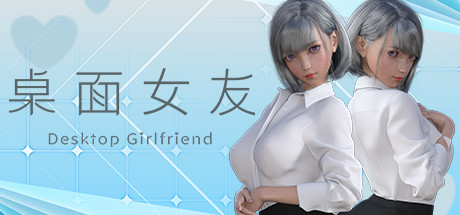
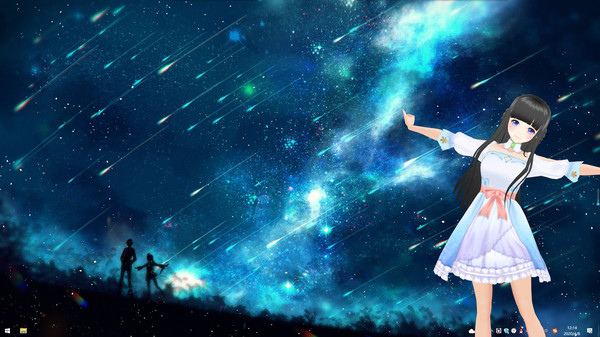
This is a desktop mascot that can be placed anywhere on your desktop to bring more fun to your desktop
AI 유저 감성 및 재미 분석
"아직 유저 리뷰 분석이 없습니다."
Desktop Kanojo Guides, Korean Patches & Downloads
Browse community guides, walkthroughs, Korean patches, trainers, save files and downloads for Desktop Kanojo — all gathered in one place at GameWorld. Pick a popular guide or resource below to jump right in. Desktop Kanojo is also known as 데스크탑 카노죠, 데스크탑카노죠, DesktopKanojo.
Popular downloads (Korean patches, trainers, saves)
Latest Posts
Detailed Description
Introduction
This is a desktop mascot, which can be placed anywhere on your desktop to bring more fun to your desktop.
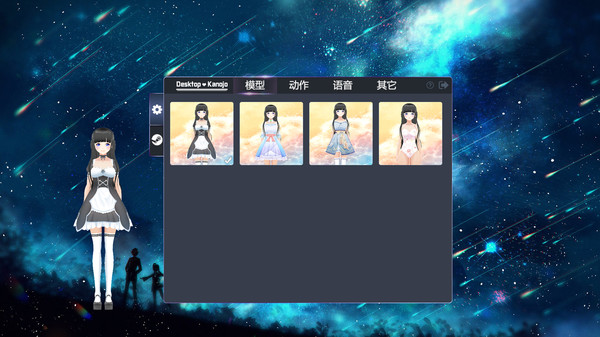
The character has multiple costume transformations and can use mouse click to interact with the character more.
Some parts of the character have physical effects and can simulate shaking when moving.
Characters can move, rotate and scale freely.
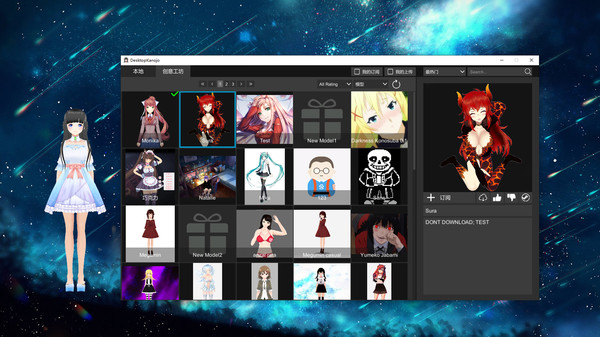
Players can also import local custom models to create new desktop partners of their own.
The game supports creative workshops. You can upload and share your favorite models, or subscribe and download others' models to generate your favorite desktop characters.
features
- cute desktop mascot
- Click interaction + independent interaction
- move, rotate and scale freely
- contains more than 40 actions and 30 Chinese Japanese bilingual language packs
- changing clothes
- has physical jitter effect
- alarm function
- import local model (VRM format model file required)
- Creative Workshop supports model, action and voice upload, so that you have more choices. Action and voice can be associated and bound!
- multi display support
The black screen solution is as follows:
1. Please open the dvidia panel and select [manage 3D settings] on the left
2. In the right, the options of [multi frame sampling AA (MFAA)] and [smoothing fxaa] are changed to [off]
3. When the application is closed and the game is restarted, the black screen of the game can be solved.
Tips:
1. Double click the model to quickly stop the current action
Latest Resources
Latest News




Genres & Categories
Screenshots

Desktop Kanojo FAQ
When was Desktop Kanojo released?
Desktop Kanojo was released on 4/23/2020.
Is Desktop Kanojo a good game?
Desktop Kanojo has 85% positive Steam reviews based on 1,506 reviews.
What is the GameWorld (gS) score of Desktop Kanojo?
Desktop Kanojo has a GameWorld (gS) score of 69 out of 100, aggregated from Steam, IGDB, Metacritic and more.
What genre is Desktop Kanojo?
Desktop Kanojo is a Casual, Indie, Simulation game.
Who developed Desktop Kanojo?
Desktop Kanojo was developed by Neko Game.
Does Desktop Kanojo support multiplayer?
Desktop Kanojo supports single-player.
Where can I find guides, Korean patches and downloads for Desktop Kanojo?
On the Desktop Kanojo page at GameWorld you can browse community guides and download resources (Korean patches, trainers, save files and more), or upload your own.