

66
Dragons On Desktop
Looking at these lovely dragons on Desktop makes me feel relaxed, free and happy. I hope to bring these emotions to you...
AI 유저 감성 및 재미 분석
"아직 유저 리뷰 분석이 없습니다."
Latest Posts
No posts yet.
Detailed Description
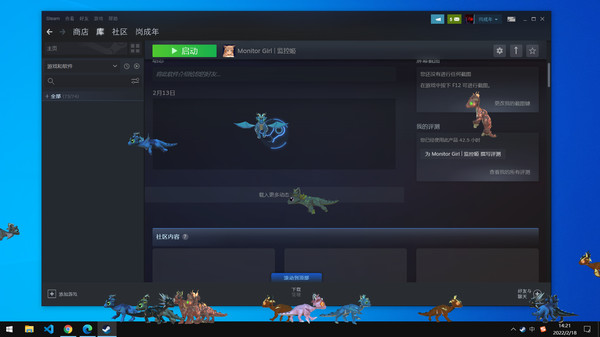
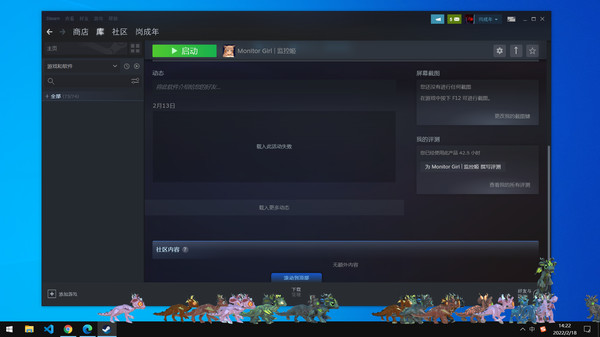
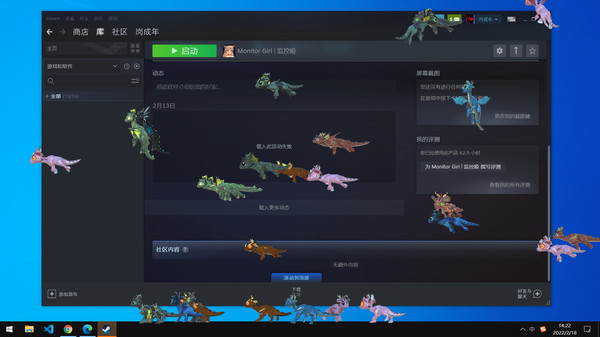
This is a place class games. When you start the game, a lovely dragon will appear on the desktop. They will decide their next action by themselves and will not affect your normal computer operation. It's very decompression to watch the little dragon fly back and forth.
Content
Control
Content
- 1. 13 dragons, two styles;
- 2. AI with autonomous movement does not need human intervention;
- 3. It is mainly for viewing and will not interfere with the normal operation of the desktop;
Control
- 1. Shortcut key Ctrl + "+" add a dragon;
- 2. Shortcut key Ctrl + "-" remove a dragon;
- 3. Shortcut key Ctrl + "Q" exit the game;
Latest Resources
No resources available.
Latest News
No related news.
Related Games










Genres & Categories
Screenshots

Dragons On Desktop FAQ
When was Dragons On Desktop released?
Dragons On Desktop was released on 3/4/2022.
Is Dragons On Desktop a good game?
Dragons On Desktop has 100% positive Steam reviews based on 19 reviews.
What is the GameWorld (gS) score of Dragons On Desktop?
Dragons On Desktop has a GameWorld (gS) score of 66 out of 100, aggregated from Steam, IGDB, Metacritic and more.
What genre is Dragons On Desktop?
Dragons On Desktop is a Casual, Indie, Simulation game.
Who developed Dragons On Desktop?
Dragons On Desktop was developed by GCN.
Does Dragons On Desktop support multiplayer?
Dragons On Desktop supports single-player.
Where can I find guides, Korean patches and downloads for Dragons On Desktop?
On the Dragons On Desktop page at GameWorld you can browse community guides and download resources (Korean patches, trainers, save files and more), or upload your own.