

Pawoki: Desktop Pets
Virtual pet on your desktop! Drag it with the mouse, grow crops, mine resources, craft and trade. Take care of your pet’s needs and use the built-in timer. A living world of adventures on top of all applications!
AI 유저 감성 및 재미 분석
"아직 유저 리뷰 분석이 없습니다."
Latest Posts
Detailed Description
✨Turn your desktop into a living world of adventure!✨
Meet your new digital companion who will live right on your desktop! Your pet is not just an animation, but a full-fledged character with its own needs and desires.
🐾Drag your pet across the screen:
You can pick up your pet with the mouse and drag it anywhere on the screen. It will walk across the Start menu, explore the desktop, and slide down the edges of the screen.
🌱Grow food:
The pet can plant, water, and harvest crops. All you need is to place a plot for planting and throw in a seed, after which your pet will plant and harvest everything on its own. Watering plants only works if there is water in the inventory, which must be collected in advance from the well.
⛏️Mine resources:
Your pet can mine various resources in special mines. You can sell these resources in the market for coins or, with the right equipment, process them, create different tools and materials, and sell them for even more.
💰Trade:
You can sell all the vegetables you grow and resources you mine in the market for money, which you will need to buy crafting machines, seeds, gifts, and more. You can also make deals with merchants in exchange for certain resources.
💖Take care of your pet:
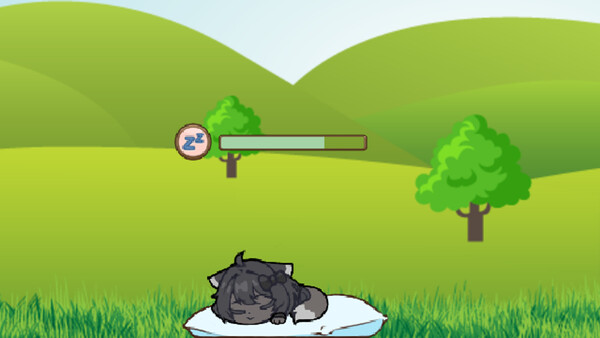
Your pet has needs such as hunger, thirst, fatigue, and mood. Monitor all needs to keep your pet happy. With a bad mood or low level of any need, it will refuse to work. If you neglect your pet, it will leave you.
📦Resource management:
In the game, you will encounter many different resources and crafting. All items on the desktop can be moved and rearranged using the mouse. Your pet can also help you with this, clearing the desktop of unnecessary resources.
⏰Built-in timer
To increase the multifunctionality of the game, a clock with a timer was added.
You can set a timer for up to 60 hours. And you don’t need to keep it on the desktop. Just set it and hide it in the inventory. If the timer expires while it’s on the desktop, it will start ringing; if it’s in the inventory, your pet will take it out and notify you that the time is up. Measure time for work, rest, or play.
🔧Features:
Works on top of all applications
Automatic progress saving
Does not interfere with regular computer work
Pawoki: Desktop Pets is the perfect way to add a little joy and life to your workday. Your digital friend is always nearby, ready to cheer you up and keep you company!
Download now and start an amazing journey with your new pet!
Latest Resources
Latest News










Genres & Categories
Screenshots



Pawoki: Desktop Pets FAQ
When was Pawoki: Desktop Pets released?
Pawoki: Desktop Pets was released on 11/5/2025.
Is Pawoki: Desktop Pets a good game?
Pawoki: Desktop Pets has 100% positive Steam reviews based on 5 reviews.
What is the GameWorld (gS) score of Pawoki: Desktop Pets?
Pawoki: Desktop Pets has a GameWorld (gS) score of 51 out of 100, aggregated from Steam, IGDB, Metacritic and more.
What genre is Pawoki: Desktop Pets?
Pawoki: Desktop Pets is a Casual, Indie, Simulation game.
Who developed Pawoki: Desktop Pets?
Pawoki: Desktop Pets was developed by BlastBun, Nektogone and published by Nektogone.
Does Pawoki: Desktop Pets support multiplayer?
Pawoki: Desktop Pets supports single-player.
Where can I find guides, Korean patches and downloads for Pawoki: Desktop Pets?
On the Pawoki: Desktop Pets page at GameWorld you can browse community guides and download resources (Korean patches, trainers, save files and more), or upload your own.